
Author: Azizul Haque
Assistant Professor, Yengnam University.
With the easy accessibility of the internet, almost all types of necessary information and books can now be found on Google. However, often even if you find a book, getting it in PDF format becomes difficult. By following a few simple tricks, downloading PDF files from Google becomes much easier. These methods allow you to easily download various types of books, such as academic books, research-based books, history books, biographies, novels, story books, inspirational books, technology and science fiction, religious texts, language learning books, young adult literature, and self-development books. When downloading PDF books, it is important to comply with copyright laws and ensure the security of the files. This protects you from the risk of downloading illegal files and malware.
How to Find a Specific Book?
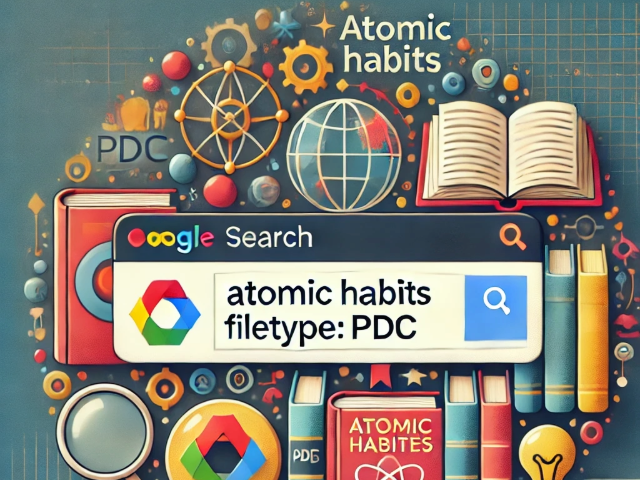
If you want to download the PDF of a specific book, you need to add filetype pdf to the book’s name in the Google search bar. For example, to search for the PDF of Atomic Habits, you have to write atomic habits filetype:pdf in the search bar. Using this trick, Google will show only the links to the book in PDF format, making it much easier to download.
How to Find Books by Topic?
To find PDF books on a specific topic, simply add filetype pdf at the end of your topic’s name. For example, if you want to find PDF books on machine learning, you would write machine learning filetype pdf in the search bar. By searching this way, you’ll see links to various PDF books related to machine learning, from which you can download your preferred book.
How to Find Free and Open Source Books?
If you follow a few simple tricks, you can easily find free or open source PDF books. By including certain words with the book’s name in the Google search bar, you’ll quickly find links to the book’s PDF files. For example, if you’re looking for free PDF books on artificial intelligence, type artificial intelligence free download filetype pdf in the search bar. This will only show those PDF files which are available for free download. Additionally, to find open source books, you can add the phrase open source to your search. For instance, searching machine learning open source filetype pdf will show Google’s results for open source PDF books, which are copyright-free and free to download.
There are also several popular websites from which you can download books for free or read online, such as:
1.Anna’s Archive (https ://annas-archive .org)
2. Library Genesis (http ://libgen .is)
3. Z-library (https ://z-lib .id/)
4. PDF Drive (https ://www .pdfdrive .com)
5. Open Library (https ://openlibrary .org)
6. Project Gutenberg (https ://www .gutenberg .org)
7. Free-ebooks.net (https ://www .free-ebooks .net)
8. Bookboon (https ://bookboon .com)
9. Internet Archive (https ://archive .org)
10.Science Direct (https ://www .sciencedirect .com)
11. Google Books(https ://books .google .com)
12.BD Ebooks (https ://bdebooks .com/books/)
Note: To avoid copyright issues, a white space has been added before the dot (., : ) of each link. Before searching the link, remove the white space.
Note: Collected from Facebook:——–https://www.facebook.com/share/p/154dPVUSkL/