


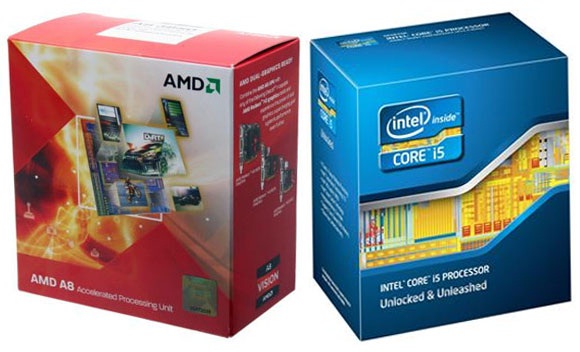
The processor is one of the key hardware components of a computer. It handles all of the computer’s tasks. Essentially, this is what’s known as the CPU (Central Processing Unit). Among processor manufacturers, the most popular are Intel and AMD (Advanced Micro Device). Both companies are good. However, Intel is the most popular and is ahead in some technological aspects. Nowadays, AMD has also introduced some great and affordable processors through their APU (Acceleration Processing Unit) line. Check out the current computer and accessories market prices.
Since the processor is responsible for all tasks in a computer and plays the most crucial role, you need to exercise extra caution when purchasing one.
1. Pay attention to the processor’s clock speed. The higher the clock speed, the greater the processing power. Not just clock speed, you should also consider how much cache memory the processor has. There are different types of cache memory, with the latest technology being L3 Cache. Another important aspect is to check how many cores and how many threads the processor has. More cores and threads means increased speed. Also, look at the FSB (Front Serial Bus) amount. A higher FSB means higher speed. So, you should buy a processor that matches your motherboard’s bus speed. Note that newer processors no longer use FSB; instead, they use QPI.
2. It is important to consider the processor’s series. The newer the series, the higher the quality. Early Intel processors include the Pentium series, followed by the Celeron series, Core series, and i Series in sequence. Similarly, AMD processors include Sempron, Athlon, AMD Athlon X2, AMD Athlon II X2, AMD Phenom, AMD FX, AMD APU, and more. It is always better to buy the latest series processor. But also make sure the processor is compatible with your motherboard.
3. One special feature of processors is Hyper Threading Technology, which is especially effective for multitasking. In addition, for Intel processors, check whether they have Turbo Boost Technology. This technology increases processor power when needed for specific tasks.
4. Make sure your processor includes a GPU (Graphics Processing Unit). If necessary, check the selected model’s specifications online. If the processor has a GPU and is paired with a good motherboard, you don’t need an external graphics card. AMD’s APU (Acceleration Processing Unit) processors include a separate Graphics Processing Unit, which allows you to handle high-definition videos, games, and other graphical tasks.
5. It’s wise to learn about the quality of customer service offered by the shop where you intend to purchase your processor. You can ask acquaintances for advice. Sometimes open-box hardware is available in the market, but you should never buy these. Before purchasing a processor, keep the above-mentioned points in mind.
I hope this article helps make your processor purchase easier. Thank you.








This comment has been sanitized for the English site.
This comment has been sanitized for the English site.
This comment has been sanitized for the English site.
This comment has been sanitized for the English site.
This comment has been sanitized for the English site.
This comment has been sanitized for the English site.
Thanks for sharing the tips. When it comes to buying a proccesor, we have many options to choose from. Check out all available processors price in Bangladesh here- http://www.startech.com.bd/component/processor
laptop , tv , dslr , photocopier kinte visit korun
https://www.bdstall.com/
Thanks for your valuable opinion. Really happy to read this articles.