


(July 12, 2024: Some information has been updated – Author)
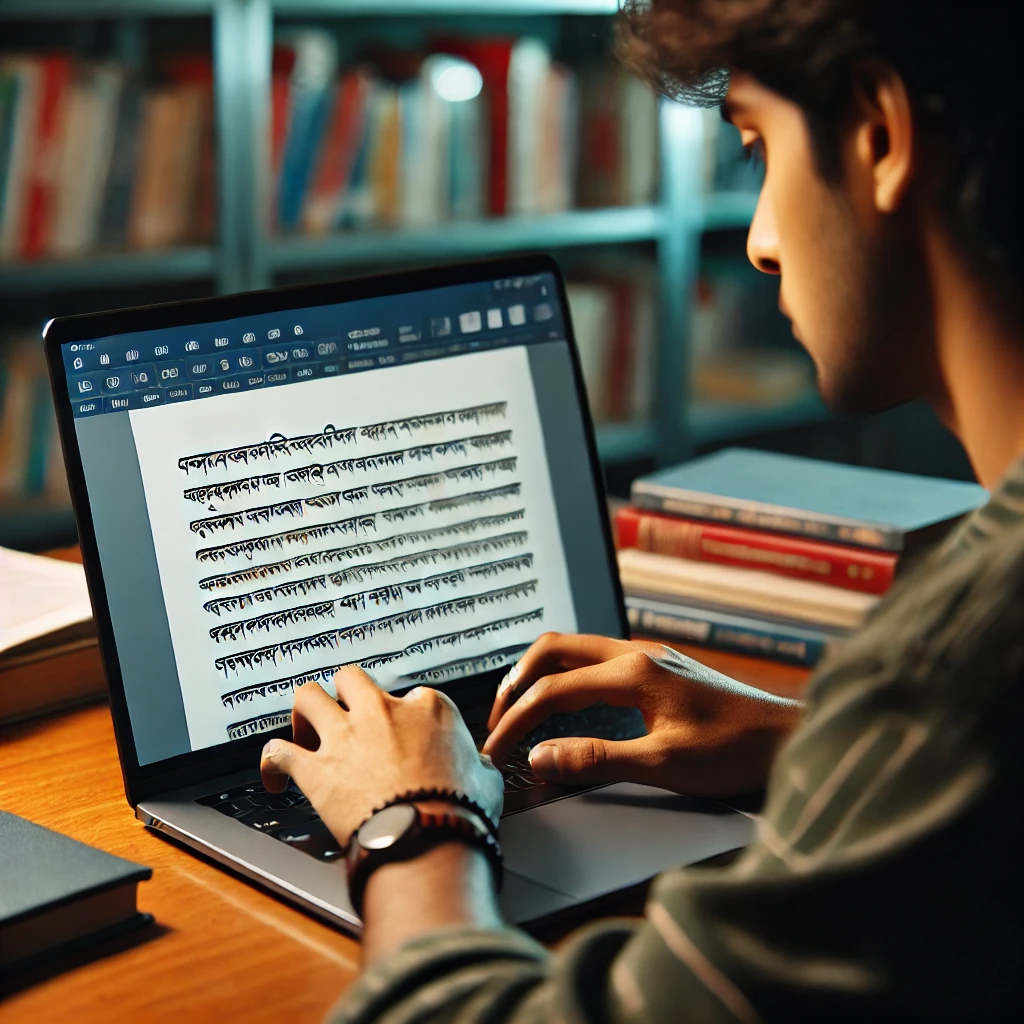
In today’s age of information technology, our interest in using the Bangla language on computers has increased significantly. Many people are now attempting to type in Bangla on their computers. This is a very good sign, and although many of you are satisfied with this, I am not at all satisfied. The reason is, we still have a long way to go in implementing Bangla usage on computers. I know many Bangladeshis who are quite skilled at using computers, yet they are not aware that Bangla can be used on them. I’ve never seen Bangladeshis speaking to each other in English in person, but I have rarely seen them emailing each other in Bangla. Why is there such a lack of Bangla usage on computers? Is it possible that we find it easier to express ourselves in English? Impossible. I hope you will agree with me. Then why are we writing emails to each other in English? As a Bangladeshi, I feel truly ashamed to admit this. Many people claim that typing Bangla on computers is difficult. Is that really the case? Let me give you the example of the Japanese. If the Japanese can type their twenty thousand Kanji (the Japanese characters) on computers, why can’t we do the same? The truth is, the current unfortunate state of Bangla language usage on computers is simply due to a lack of will on our part.
Let’s look back a bit: in the 1980s, only a handful of organizations began implementing Bangla on computers. Today, in the twenty-first century, you’ll find countless organizations working to promote Bangla use on computers. Now, there are many software options available in Bangla. Ten years ago, this was unimaginable. And behind this progress are those enthusiasts who, despite knowing they might fail commercially, have kept striving to implement Bangla on computers. I want to acknowledge their contributions with the utmost respect. At the same time, I strongly condemn the general users’ lack of intent to use Bangla. Let us all try harder to use Bangla on computers. I’m not saying all the technical issues with using Bangla on computers have been resolved. But the more users there are, the more the technology for using Bangla will improve. I don’t know much about economics, but I do understand that the more demand a product has in the market, the higher its quality becomes. We have many talented programmers. When they hear about the issues we face, they will try to improve the programs. I can say this without hesitation. In other words, the more we use Bangla on computers, the quicker technical issues will be resolved. If we don’t use it, how will development happen? And who will do it? All of us, including you, the reader of this article.
Now, let’s discuss how we can use Bangla on computers. No, you don’t need to spend any money or buy any special software for this. So, will you still not try typing in Bangla on your computer? Since most of our users are on Windows, today I’ll write simply with them in mind.
If you keep your computer regularly updated, you’ll be able to view Bangla by default. Microsoft has adopted a font called “Vrinda” to display Bangla on computers. However, if you wish, you can install many beautiful Bangla fonts from various websites (a list is provided on the next page). Additionally, on January 27th, 2006, Microsoft released the Bengali Language Pack for Windows XP, which allows you to view your computer commands in Bangla. (Update: As of 2024, almost all computers, whether Windows, Mac, or mobile phones, now have Unicode Bangla integrated.)
What is Unicode?
On computers, every character is basically represented by numbers, since all operations inside a computer are performed with numbers. Computers don’t understand different languages like we do—they only understand zeros and ones. So, there are specific standards or benchmarks for representing every language’s characters on computers, with assigned codes for each letter. For Bangla, there was no such standardized system at first. The organizations that first developed Bangla typing systems used codes as they saw fit. As a result, if you created a document with one organization’s font, it wouldn’t display properly on another computer without that font installed. The same issue applied to database development. This problem was solved with the advent of Unicode. Unicode developed a standard chart to represent the characters of different languages, including Bangla. Major organizations have now adopted Unicode. The benefit is, if you write Bangla in Unicode, your email or file can be viewed on other computers as long as they have a Unicode font. Additionally, you can now write emails in Bangla on platforms like Google, Yahoo, and Hotmail.
Now, how do you type in Bangla on your computer? If you have Bangla fonts, you will be able to view Bangla, but to type, you need to do something extra. While Microsoft has accepted the Indian-developed Inscript typing system as the default, our country’s talented youth have not been idle either. I will mention the methods they have invented.
Bengali Typing in Unicode
There are generally two ways to type Bangla. One is with a Bangla keyboard, and the other is with a phonetic keyboard. A Bangla keyboard is a specially laid out keyboard used for typing in Bangla. The layouts of these keyboards are different from English because Bangla has more letters. Popular Bangla keyboard layouts include Munir, National, and Bijoy. The Munir keyboard became popular in 1973 and has been used for composing ever since. You may see such Munir typewriters in typewriter shops. However, since most of us have English keyboards on our computers, typing all Bangla letters with them is impossible. Additionally, Bangla has conjunct letters (juktoborno), making it more difficult. To solve this, Mustafa Jabbar introduced the revolutionary Bijoy method in 1988. Although other organizations had worked on Bangla typing before, who was first may be debatable, but it must be acknowledged that Bijoy brought real revolution to Bangla typing.
Phonetic typing, on the other hand, allows you to type Bangla using the English keyboard by writing the pronunciation in English. Which method you use is up to you. If memorizing a keyboard layout seems troublesome, you can use phonetic typing. However, complex words can sometimes be difficult to render accurately with the phonetic method. Still, will it be so hard to memorize one keyboard layout? Won’t you take that effort for the sake of using Bangla? Or will you continue to express your feelings in English as before?
Free Bangla Typing Software:
Along with many commercial software options, there are now some free programs available too. Below are some sites for free Bangla typing software. The programmers on these sites have put in great effort to provide these programs free of charge for your use. The more you use them, the more their efforts will be rewarded.
- Avro http://www.omicronlab.com [Avro Phonetic, Easy Avro, Bornona, National, UniBijoy]
- Ekushey Shadhinota http://www.ekushey.org/projects/shadhinota [Rupali, Inscript, Probhat, National, UniJoy]
If you have a computer at home and email your friends, you don’t need to eat panta bhaat on Pahela Baishakh just to prove your Bengali identity. Instead, showcase your pride by using Bangla on your computer with a little effort. Let’s work together to enrich the Bangla language. This is my humble request.







This comment has been sanitized for the English site.
it is a good job.it will inspare all to use bangla.we want our next generation learn about bangla.
This comment has been sanitized for the English site.
This comment has been sanitized for the English site.
This comment has been sanitized for the English site.
This comment has been sanitized for the English site.
This comment has been sanitized for the English site.
This comment has been sanitized for the English site.